


Application Features
-
🚀 Email Generation:
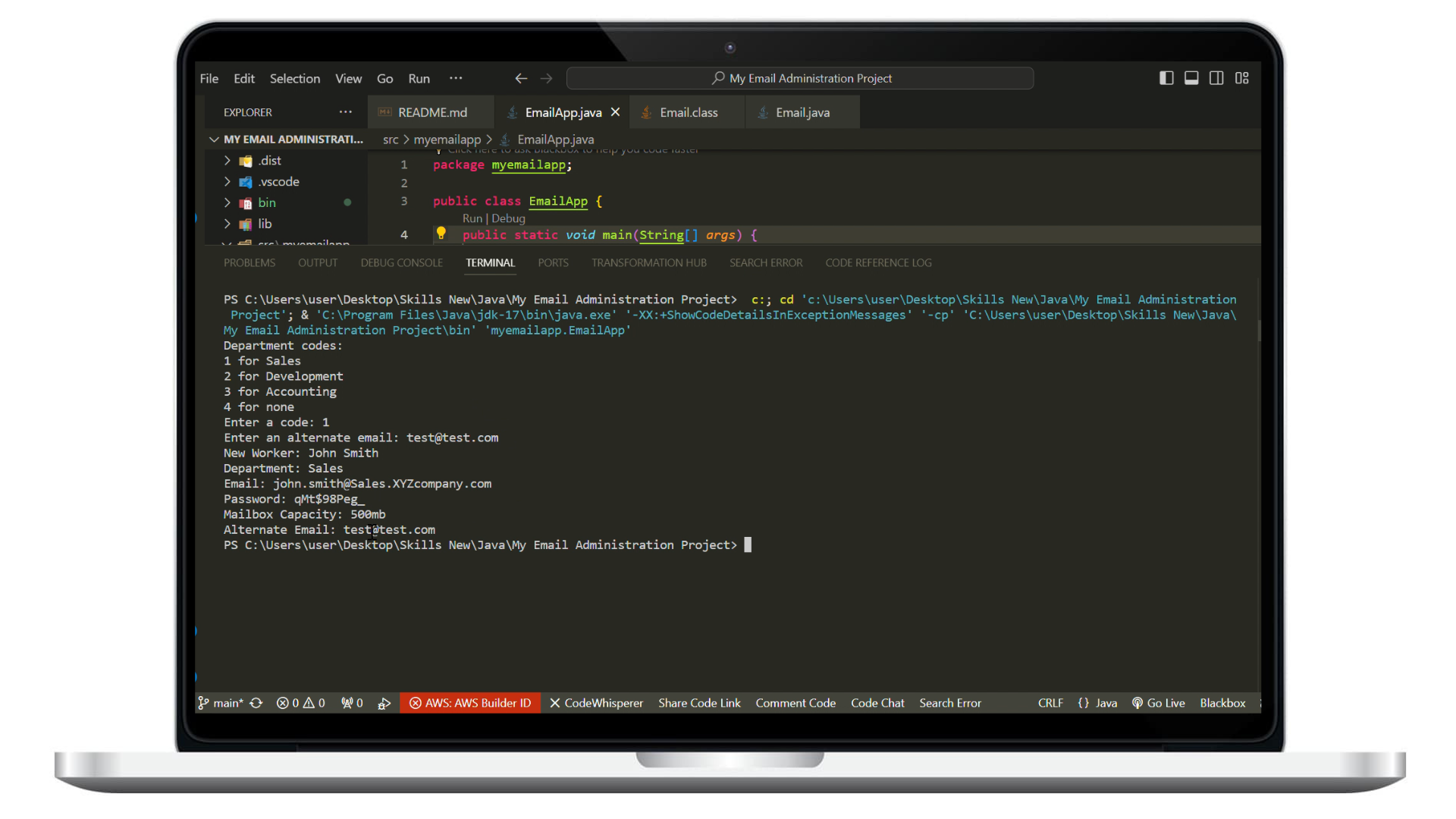
The application automatically generates an email address with the following syntax:
firstname.lastname@department.company.com -
🏢 Department Assignment:
The application determines the department (sales, development, accounting) based on user input. If no department is specified, the field remains blank.
-
🔐 Random Password Generation:
A random string is generated for the initial password to ensure security.
-
🛠 Customization Methods:
-
🔒 Change Password:
Use the
setPassword()method to change the password associated with the email account. -
📦 Set Mailbox Capacity:
Utilize the
setMailboxCapacity()method to define the mailbox capacity for each user. -
📧 Define Alternate Email Address:
The
setAlternateEmail()method allows you to set an alternate email address for account recovery.
-
🔒 Change Password:
-
📚 Information Retrieval Methods:
-
🧑💼 Get Name:
Retrieve the user's name using the
getName()method. -
📧 Get Email:
Obtain the user's email address with the
getEmail()method. -
📥 Get Mailbox Capacity:
Retrieve the mailbox capacity using the
getMailboxCapacity()method.
-
🧑💼 Get Name: