


Project Description: 🎮
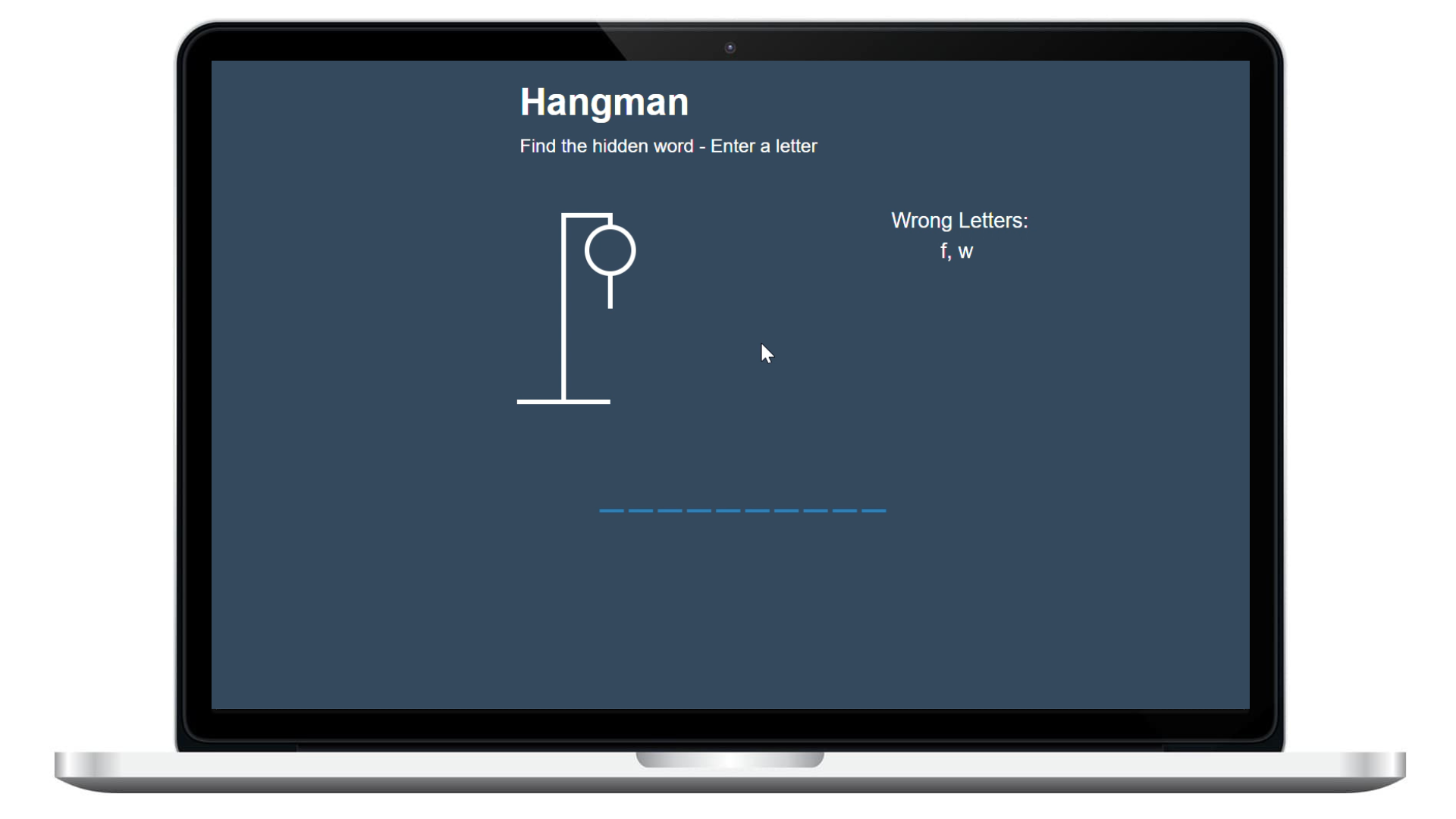
Hangman is a fun and interactive word-guessing game. It was created using React JS. The game challenges players to guess a secret word by guessing one letter at a time. Before the man is hanged, players have a limited number of chances to guess the correct letters; otherwise, the hangman is fully drawn, resulting in a GAME OVER. 💀
This game's implementation offers a user-friendly interface that allows players to easily enter their guesses and track their progress. The game also includes different word lengths and categories to keep players involved and challenged.
In the future, Hangman will be expanded to include even more features. Planned enhancements include the integration of HackerRank challenges into the game. Players will have to solve HackerRank problems to earn letters that can be used to help solve the hangman puzzle. This integration will increase the game's engagement and educational value for those looking to improve their algorithm and data structure skills. 💡🔍
With Hangman, you can enjoy a classic word-guessing game that's easy to play and hard to put down. And with planned enhancements, the game will only get better and more challenging over time. 🚀
Features: 🎯
Hangman Game includes several components and game mechanics that work together to create a fun and engaging gaming experience:
- Figure Component: The Figure component displays the hangman image, with different parts of the figure appearing as the player makes incorrect guesses. 🤖
- Header Component: The Header component displays the game's title and challenges players to find the hidden word by entering letters. Good luck! 🤞
- Notification Component: The Notification component displays messages to the player throughout the game. If the player has already entered a letter, the component displays an alert informing the player that the letter has already been entered. This can help players avoid repeating guesses and save time. 📢
- Popup Component: The Popup component is responsible for displaying the game's outcome when the player either wins or loses the game. If the player loses, it displays the correct answer. In both cases, it provides an option for the player to play again. 🎉
- Word Component: The Word component is responsible for displaying the word that the player needs to guess. This component receives the word as a prop and renders each letter of the word as a separate component. It also keeps track of the letters that have been correctly guessed by the player and displays them in their correct positions in the word.
- Wrong Letters Component: The Wrong Letters component is responsible for displaying the letters that the player has guessed incorrectly. This component receives an array of wrong letters as a prop and renders each letter as a separate component. It also keeps track of the number of wrong letters guessed and displays the hangman figure accordingly.
Styling: 🎨
The App.css file contains the styling for the hangman game web page. It sets the background color, font family, and height of the page, as well as the styling for the game container, figure container, wrong letters container, word container, popup container, and notification container.
The figure container contains the SVG graphics for the hangman figure, while the wrong letters container displays the letters that the player has guessed incorrectly. The word container displays the word that the player needs to guess, and the popup container displays a popup message when the game is over.
The notification container displays a notification message when the player has already guessed a letter. The CSS styling also includes animations and transitions for the notification container and popup container to make the game more engaging for the player.