


Introduction
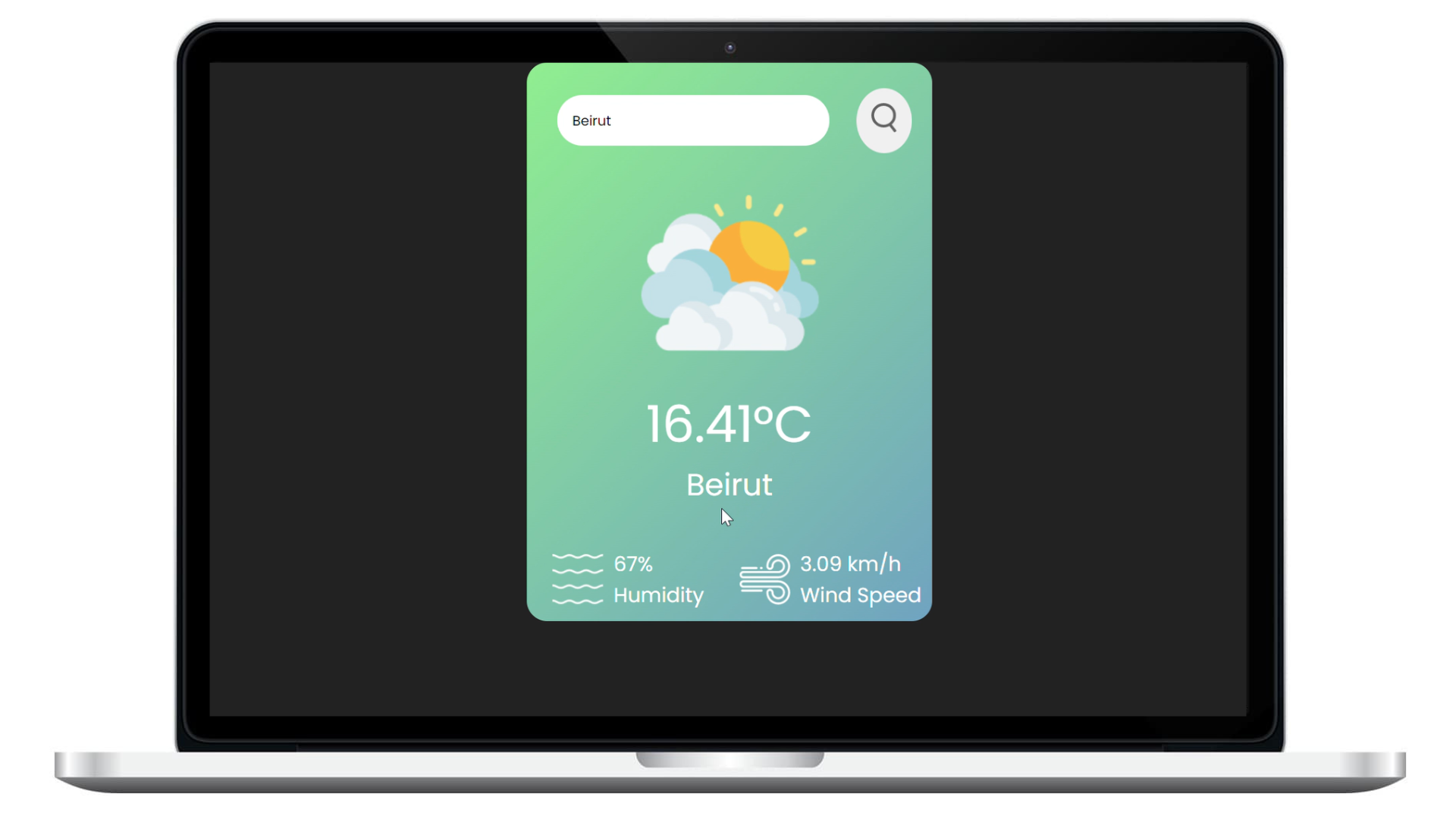
In this project, we will leverage the OpenWeatherMap API to retrieve current weather data and present it on our website. The application will showcase key information such as Temperature, Weather Condition, Humidity, and Wind Speed for a user-specified city.
Prerequisites
- Basic understanding of HTML, CSS, and JavaScript.
- An API key from OpenWeatherMap (a free tier is available).
Steps
- Open index.html in your preferred web browser or set up a local server.
- Fetching Weather Data
- Obtain your API key from OpenWeatherMap.
- Open script.js and replace 'YOUR_API_KEY' with your actual API key.
- Implement the logic to fetch weather data using JavaScript's fetch API.
- Displaying Weather Information
- Design the HTML structure to hold weather information.
- Style the elements using CSS to create an appealing layout.
- Use JavaScript to dynamically update the UI with fetched weather data.
- User Interaction
- Implement a search box where users can input the city name.
- Add event listeners to trigger weather data retrieval based on user input.
Tools Used
HTML
CSS
JavaScript